

Somewhere between the fifth Slack thread and the spreadsheet nobody remembers updating, most teams hit the same wall: tasks are getting done, but nobody can actually see which ones, or by whom. That's usually the moment someone types "team collaboration software" into Google, hoping there's a tool that fixes the chaos. Maybe it's a manager who just found out two people spent the week on the same task, or someone who's tired of asking "wait, did we ever finish that?" in a meeting that could've been avoided entirely.
The problem is the search results don't really help. Every homepage promises the same thing task boards, chat, integrations, "all in one workspace" in slightly different colors, and after the third demo it all starts blurring together.
So this isn't another list ranking tools against each other, and it isn't pretending there's one universal "best" option waiting to be crowned. It's a plain look at what this category of software actually does, which task and communication features genuinely change how a team works, and how to tell which type actually fits your team instead of someone else's.
Team Collaboration Software: Features, Types, and How to Evaluate One
At its core, team collaboration software is where a team's work and a team's communication stop living in separate places. Before these tools existed, a project might involve an email thread, a spreadsheet nobody updated consistently, a chat app for the "quick questions," and a shared drive folder that three people had the wrong version of. Collaboration software pulls those pieces into one workspace tasks, deadlines, updates, and often the conversation around them, all visible in the same view.
It's easy to confuse this with plain project management software, and honestly the line has blurred over the past few years. But the distinction still holds up in practice. Project management tools tend to emphasize planning and structured project execution timelines, dependencies, resource allocation, the kind of structure a project manager needs to keep a complex initiative on track. Team collaboration software puts more emphasis on the day-to-day coordination and communication around the work itself.
Teams tend to reach for this kind of tool once a specific pain shows up. A few common triggers:
- Deadlines keep slipping because nobody has real visibility into what's actually in progress
- Half the team is remote, and standups alone aren't cutting it anymore
- Decisions get buried in chat, and finding "what did we agree on" means scrolling back weeks
- Onboarding a new hire takes days because nothing about the team's work is written down anywhere
That's usually the moment collaboration software goes from "nice idea" to "we need this now."
Features Worth Paying Attention To
Feature lists on vendor sites tend to blur together, so it helps to know which ones actually change how a team works day to day versus which ones are just there to pad the pricing page.
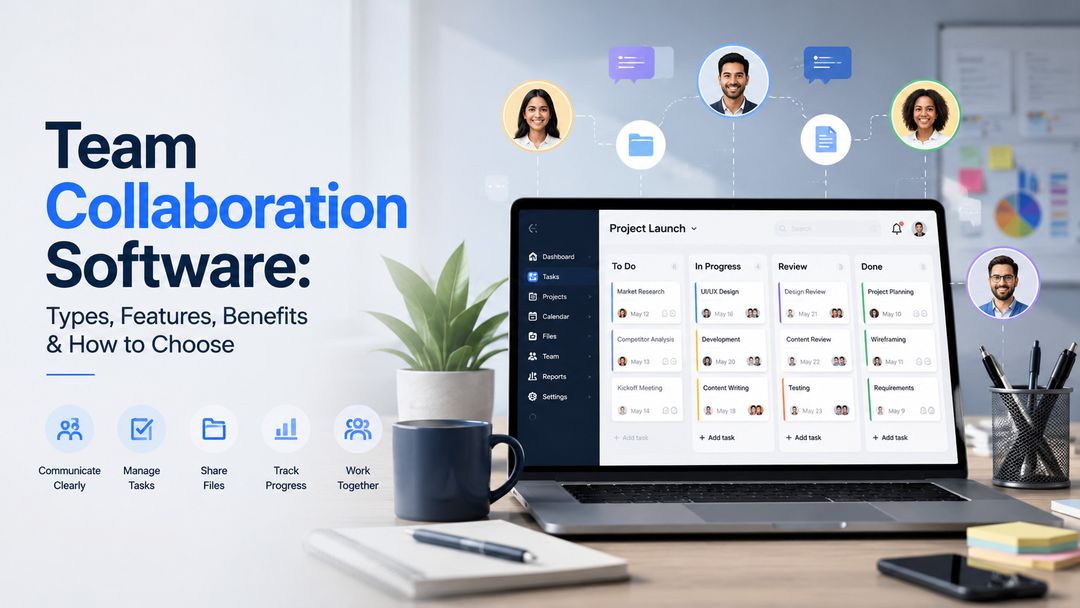
- Visual task boards. Most modern tools use some version of a kanban board columns like To Do, In Progress, and Done, with cards you drag across as work moves forward. It sounds simple, but seeing the whole team's workload at a glance is often the single biggest shift teams notice after switching.
- Real-time updates and comments. Task-level conversation, not a separate chat app you have to alt-tab into. Comments, mentions, and file attachments living next to the actual task cut down on the "wait, which thread was that in" problem.
- Deadlines and reminders. Basic, but genuinely underrated. A due date that actually notifies someone before it's missed, instead of after, changes behavior more than people expect.
- Roles and permissions. Matters more as teams grow. Not everyone needs edit access to every project, and shared workspaces get messy fast without some structure around who can see and change what.
- Integrations. Slack, Microsoft Teams, email, calendars the tools your team already lives in. A collaboration platform that forces everyone to abandon their existing habits usually gets abandoned itself within a month.
- Mobile and cross-device access. Work doesn't stop at the desk. If a tool only really works on desktop, someone's going to miss an update at the worst possible time.
None of these are exotic. That's kind of the point the tools that actually get adopted tend to nail the basics rather than chase the flashiest feature on the comparison chart.
Types of Collaboration Tools, and Which Fits Which Team
Not every collaboration tool is solving the same problem, which is why "best team collaboration software" searches return such a mixed bag of results.
Kanban-Based Tools
Kanban-Based Tools these organize everything around visual boards and cards. They tend to suit teams that think in workflows and stages marketing teams moving content through drafts and approvals, product teams tracking features from backlog to shipped. Small teams and startups often gravitate here because the learning curve is short and the structure is flexible enough to adapt as the team grows.
Chat-First Tools
These put communication at the center, with task tracking layered in as a secondary feature. They work well for teams whose main bottleneck is communication itself lots of quick decisions, fast-moving conversations, less need for heavy project structure. The tradeoff is that task management often feels like an afterthought bolted onto a chat app.
All-in-One Workspace Platforms
These try to cover documents, tasks, wikis, and chat under one roof. Enterprises and larger teams often lean toward these because consolidating tools reduces the sprawl of subscriptions and logins. The downside is that "does everything" sometimes means "does everything adequately," and teams can end up paying for depth they never use.
For remote and hybrid teams specifically, the deciding factor is usually less about features and more about visibility can someone in a different time zone open the workspace and understand what happened without needing to ask? That's the real test, more than any feature checklist.
A rough way to match team type to tool type:
- Small teams and startups → often prefer simpler, flexible tools with a short learning curve, which is why kanban-based tools tend to be a natural fit
- Communication-heavy teams (fast decisions, lots of back-and-forth) → may benefit from chat-first platforms, with task tracking as a bonus rather than the main event
- Larger teams → may value the broader workspaces, permissions, and integrations that all-in-one platforms offer, though this isn't a hard rule
- Remote-first teams → should prioritize whichever option gives the clearest async visibility, since that matters more than any single feature
What Good Collaboration Software Solves (and What It Doesn't)
What It Actually Fixes
The honest upside is real. Teams that adopt the right tool tend to see fewer missed deadlines simply because work is visible instead of scattered across inboxes. There's less app-switching, which sounds minor until you add up how much time gets lost jumping between five tabs to piece together the status of one project. Decisions move faster because the context is sitting right there instead of buried in a message from two weeks ago.
Where It Falls Short
But it's worth being straight about the limits too. Collaboration software won't fix a team that doesn't communicate well in the first place it just gives that dysfunction a shinier interface to happen in. A tool can't force someone to update their task status, and it can't replace the actual conversations that keep a team aligned on priorities. Plenty of teams have rolled out an expensive new platform expecting it to solve a culture problem, only to find the same old habits just moved to a new app.
The tools that work best tend to be adopted alongside some basic team habits updating status regularly, keeping conversations attached to the relevant task, actually looking at the board instead of defaulting back to email. Software can make good habits easier. It rarely creates them from scratch.
Choosing What Actually Fits
There's no single "best" collaboration software, despite what most comparison articles imply. The right one depends on a handful of practical factors:
- Team size — a five-person startup and a 500-person enterprise aren't shopping for the same thing, even when they type the same search query
- How distributed the team is — co-located teams can lean on quick conversations; remote teams need the workspace to carry more of that context on its own
- What's already in daily use — a tool that clashes with existing habits (a different chat app, a different calendar) creates friction that outlasts the novelty
- How much complexity the team actually wants — more features sound appealing until someone has to maintain them
- Security and permissions — especially relevant for larger teams handling internal or client-facing information
- Pricing and scalability — the tool should make sense for the current team size, but also as the team grows into a bigger one
If there's one takeaway worth keeping, it's this: match the tool to how the team already works, not to whichever platform has the longest feature list. Taskity is one example of a task-focused collaboration platform, using Kanban boards and Pods to organize project work and keep related context together but whatever you land on, the fit matters more than the feature count.
Conclusion
Team collaboration software isn't magic, and it isn't complicated either, once the marketing language gets stripped away. It's a workspace where tasks and conversation stop living in five different places, and a team can actually see what's happening instead of guessing. The feature that matters most isn't the one on the homepage in bold it's whichever one solves the specific friction your team is dealing with right now, whether that's missed deadlines, buried decisions, or a remote team that's lost visibility into each other's work.
The search for "the best" tool tends to be a dead end, mostly because best doesn't exist outside of context. What exists is fit a five-person team and a five-hundred-person team need genuinely different things, and no comparison chart can tell you which bucket you're in. Start with the actual problem, try the smallest version of a fix, and let the tool earn its place rather than assuming it will.
FAQs
1. Is team collaboration software the same as project management software?
Not exactly. Project management software focuses on planning timelines, dependencies, resource allocation. Collaboration software focuses more on the day-to-day of working together, combining task visibility with communication in one place. Many tools now blend both, but the core emphasis differs.
2. Do small teams need dedicated collaboration software, or is chat enough?
Chat works fine until tasks start slipping through the cracks of a scrolling message history. Once a team can't easily answer "what's everyone working on right now," a dedicated tool usually pays for itself quickly, even at a small scale.
3. What integrations should I check for before choosing a tool?
At minimum, look for whatever your team already uses daily Slack or Microsoft Teams for communication, plus calendar syncing. A tool that doesn't fit into existing habits often ends up ignored within a few weeks.
4. Is free collaboration software worth using long-term?
For small teams with straightforward needs, often yes. The limitations usually show up around user limits, storage, or advanced permissions worth checking those caps before assuming free will scale with the team.
5. What are the benefits of team collaboration software?
The main ones are visibility and speed fewer missed deadlines because work isn't hidden across separate tools, less time lost switching between apps, and faster decisions because context sits with the task instead of buried in an old message. The catch is that these benefits only show up if the team actually uses the tool consistently.
6. What features should team collaboration software have?
At minimum: a visual way to track tasks (usually a kanban board), real-time comments or updates tied to each task, deadline reminders, some level of permission control, integrations with the communication tools the team already uses, and mobile access. Beyond that, most extra features matter less than people expect.