

In today’s organizations, employees are usually dispersed across departments, offices, cities, and even different time zones. The more dispersed teams become, the harder it gets for them to organize communication, documents, projects, and business-related information.
While email communication by itself is not always sufficient for rapidly changing teams, the use of several separate tools results in the creation of information silos and makes important discussions hard to track. Enterprise collaboration software is what can come to help here.
Enterprise collaboration software allows employees to , exchange information, work on projects and stay connected within an organization. Yet, selecting the right solution goes beyond the mere feature comparison; enterprises also should care about security, scalability, administration, integration capabilities, usability, and employee adoption.
What Is Enterprise Collaboration Software?
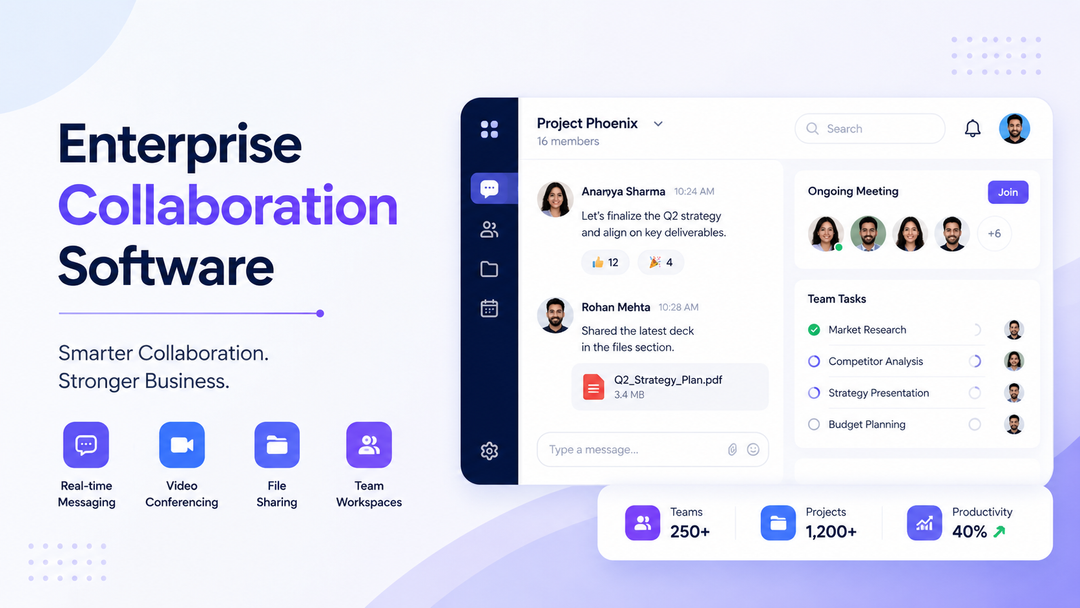
Enterprise collaboration software is an online platform developed to improve communication within big organizations through collaboration. It integrates messaging, collaboration discussions, document sharing, meetings, project communication, and other collaborative tasks within a single space.
It differs from the simple communication systems that are focused on messaging because it is developed to serve the complexity of larger enterprises. Departments, groups, locations, and business units can have their own communications space but still be part of the larger organizational environment.
Common features can be:
- one-to-one and group messages;
- communication within departments and projects;
- file and document sharing;
- audio and video conferences;
- search of information and messages;
- managing users and permissions;
- integrations with other business systems;
- administration of the system.
The task here is not only to deliver another messaging tool but also to make collaboration and communication within the company more convenient for the employees by avoiding constant switching between different platforms.
In case of large enterprises, this task is especially relevant due to growing communication complexity in the organization.
Why Do Enterprises Need Collaboration Software?
Such big corporations can produce a huge amount of communication on a daily basis. Information can be scattered across emails, meetings, personal chats, cloud drives, and various business apps.
This causes many issues.
- Fragmented communication can lead to difficulties in tracking where the conversation is supposed to take place. Communication about some project may start via email, continue in a chat app, and end up with a meeting. To follow everything, employees need to navigate through many different apps.
- There can also be information silos between departments. Sales can have some information needed by customer support, and marketing can need something from the product team. Without good collaborative tools for big teams, communication becomes slow and ineffective.
- Another problem is the issue of email overload. E-mail is still efficient in formal communication, but when it is used to discuss everything internally, then it becomes hard to track the conversation. Employees can waste their time looking for the needed information in email threads instead of working.
- Moreover, there is a need for distributed and hybrid teams support in enterprises. The employees who operate from different offices should have efficient means to exchange information and discuss things irrespective of their location.
- Administration is yet another problem that enterprises face due to growing size. It is necessary to have efficient tools to control access to certain resources, manage users, and arrange communication spaces.
- Enterprise collaboration software resolves these problems by organizing the workspace and making communication more centralized.
Key Features of Enterprise Collaboration Software
The most useful enterprise collaboration platforms combine communication, information sharing, administration, and productivity capabilities in a single environment.
Real-Time Messaging and Team Channels
Another basic feature of collaboration software is messaging. Messaging can be done via individual messages, groups, and even separate channels or spaces. Rather than lumping all the conversations into one single channel for communication, companies can separate their discussions based on departments, projects, clients, or business-related activity.
This helps make it easier to control conversations and gives employees more room to engage in conversations that pertain to their job responsibilities. As an example, one can establish a separate workspace for the marketing department and another for the product launch conversation. Cross-functional teams can also create separate spaces that allow members from other departments to coordinate without affecting other conversations.
File and Document Sharing
Collaboration goes beyond just communicating. Employees have to exchange presentations, reports, pictures, documents, spreadsheets, and other business files.
Enterprise collaboration solutions can help you achieve that by making sure the files get exchanged within certain conversations or workspace.
Key features could include:
- File sharing within conversations
- Permissions management
- Quick access to shared documents
- Centralization of information
- Searchable files
- Restricted access to sensitive data
Maintaining connections between files and conversations can also improve the comprehension and accessibility of the information.
Audio and Video Collaboration
All discussions cannot be addressed using text alone. There might be occasions when the group needs to meet to plan, present, think, learn, or make decisions. There can therefore be built into enterprise collaboration systems audio/video facilities, as well as other features like screen sharing and meetings. Being able to communicate and meet within the same collaboration tool reduces the frequent switching from one tool to another.
Search and Information Management
With the increase in size of organizations, the information produced by them is also increasing. It may be the case that the employee needs to search for an earlier message, file, conversation about a project, or any other information months after its creation. With good searching abilities, it would be easy for them to find what they are looking for without the hassle of checking several hundred messages or asking coworkers to resend files to them. This can make collaboration applications much more useful for enterprises than just being communication applications.
User Management and Access Controls
Organizational environments call for stricter controls on users and access than small groups require. Administrators might find it necessary to control their staff members’ accounts, permissions, teams, roles, and access to collaboration venues. Such controls become especially essential in cases where organizations have various departments, sites, business units, or even external participants. Proper user management is important for an organization to provide its employees access to needed information without disclosing confidential organizational information.
Integrations
Organizations do not function using only one software program. It is possible that the employees are already using CRM systems, project management software, cloud storage providers, calendars, productivity programs, and many other business software solutions. Enterprise collaboration software should thus be compatible with the current technological landscape. Such compatibility can simplify redundant tasks and allow employees to view required data without switching applications constantly. The company needs to think about the integrations currently available and those that might be necessary in the future.
Benefits of Enterprise Collaboration Software
The value of enterprise collaboration software comes from how it improves the way people work together, rather than simply from the number of features included in the platform.
Faster Decision-Making
When employees can quickly communicate with the right people and access relevant information, decisions can move forward without unnecessary delays.
Better Cross-Department Collaboration
Enterprise teams often depend on information from other departments. A centralized collaboration environment can make it easier for employees to communicate across organizational boundaries.
Reduced Email Dependency
Internal discussions can move away from lengthy email chains and into dedicated conversations where employees can respond and follow discussions more easily.
Improved Employee Productivity
Employees spend less time searching for information or switching between disconnected communication tools when important resources are available in a centralized environment.
Easier Information Sharing
Files, messages, discussions, and other information can be organized around teams or projects, making them easier for employees to access.
Support for Remote and Hybrid Teams
Employees don't need to be in the same office to participate in discussions, meetings, or project collaboration.
Reduced Tool Fragmentation
Instead of relying on multiple applications for different types of communication, organizations can consolidate more collaboration activities into a connected environment.
The result can be a more organized communication structure that supports both everyday teamwork and larger organizational initiatives.
Enterprise Collaboration Software vs Team Collaboration Software
There are some key similarities between enterprise collaboration software and team collaboration software. Some of these include messaging, file sharing, meeting management, and project communications. The major difference comes in terms of scalability and complexity.
Team collaboration software is normally meant for small teams working together on certain projects or tasks. The management and organization aspects for such platforms may not be overly complex.
Enterprise collaboration software should have capabilities to manage far more complex scenarios. This includes thousands of employees, several departments, different geographic locations, strict access rules, integrations, and management from a central point.
Enterprise platforms thus pay more attention to such features as:
- Scalability
- Security
- User management
- Access control
- Management
- Organization
- Integrations
- Governance
This does not necessarily depend on how many employees use the platform. The key aspect here is whether the platform can meet all the communication, security, and management needs of an enterprise.
How to Choose the Right Enterprise Collaboration Software
When selecting enterprise collaboration software, it makes more sense to begin with the business needs rather than the features list. The best software is that which solves real collaboration issues in the company but is still realistic for the users.
1. Identify Your Collaboration Challenges
To begin with, know how your staff currently communicates.
Is there an over-reliance on email communication? Is there an exchange of vital communication in multiple platforms? Is there a difficulty locating past communications? Are different departments operating in silos?
This will help you understand what you really need from a collaboration tool.
2. Evaluate Security and Compliance
Security is a critical factor to consider for organizations.
The capabilities that need to be evaluated include authentication, access control, permissions, data security, administrative controls, auditing capabilities, and data retention policies.
Organizations that operate in regulated sectors also need to ascertain whether the system meets their compliance needs.
3. Check Scalability
The platform should grow along with the company.
Think about how well it can handle more employees, departments, offices, places to communicate, and data without becoming too complicated to deal with.
4. Review Integrations
Review the current tools that the staff members use and decide whether the collaboration solution integrates with these tools.
Integrations may facilitate adoption and minimize any changes in the process.
5. Assess Administration and User Management
Administrative and IT staff must have useful controls to help manage users, access rights, groups, and organizational settings.
If something is easy for employees but not for administrative staff, this may pose challenges.
6. Consider Employee Experience
Enterprise software does not provide any value until people inside the organization start using it.
This system has to be user-friendly enough so that people inside the enterprise find it easy to use.
7. Calculate Total Cost
Don't look at collaboration software just because of its subscription pricing.
There is much more to consider, including the total cost of ownership and the benefits gained from increased productivity.
8. Evaluate Support and Implementation
Large firms might need help when deploying, migrating, configuring, and using a particular software.
One should assess the nature of the support offered before adopting any platform.
Common Mistakes When Choosing Enterprise Collaboration Software
There are a few pitfalls that businesses can encounter while choosing collaboration software.
- Firstly, enterprises often pick a solution solely on price considerations. A platform that costs less can turn out to be more expensive because of extra tools, administration, and complicated migration process.
- Secondly, companies often select platforms for their features rather than needs of the business. It is not always good to have a lot of features if employees just need some basic ones.
- In addition, companies can ignore security and administration. They get more important as the number of users and information from the company increases.
- Neglecting integration can cause problems too. The collaboration software will be useless if it cannot integrate into other business applications.
- And finally, enterprises must take into account the problem of employee adoption. Collaboration can be effective only if people change their way of communication.
Conclusion
Enterprise collaboration software allows big companies to establish better connections and order in the company through centralization of communication, exchange of information, conducting of meetings, and team working. A proper platform must do more than offer just messaging. It must match the scale, security needs, current technology, administration, and workflow of the organization.
Before adopting a platform, an enterprise must understand its collaboration problems and see how it will fit within certain criteria including scalability, security, integration, usability, and total costs. If all these elements are taken into consideration, an enterprise collaboration platform that will allow for both communication and growth of the business is chosen.
FAQS
What is enterprise collaboration software?
Enterprise collaboration software assists large businesses in communicating and collaborating with one another by using messaging, file sharing, meeting scheduling, searching capabilities, integration, and management of users.
What features should enterprise collaboration software have?
Important capabilities are messaging, collaboration spaces, document storage, video calling, search, user administration, permissions, and administration. Enterprises must also pay attention to security, scalability, usability, and support.
How is enterprise collaboration software different from team collaboration software?
Both of these allow communication, sharing of files, meetings and collaboration. The only difference lies in the level of security, administration, scalability, integration and user management.
Is enterprise collaboration software secure?
Security relies upon the platform that you use, along with its specific configurations. Businesses must review aspects such as authentication, authorization, access control, encryption, auditing, data preservation, and compliance when evaluating solutions.
How much does enterprise collaboration software cost?
Pricing relies upon number of users, features, storage, integrations, security, and support. While some platforms price their solutions on a per-user basis, others provide custom pricing options for enterprises.
How do I choose enterprise collaboration software for my organization?
First recognize your collaborative problems and then assess issues related to security, scalability, integration, administration, user-friendliness, support, and cost. Testing the tool with a smaller group may prove helpful for this purpose as well.