

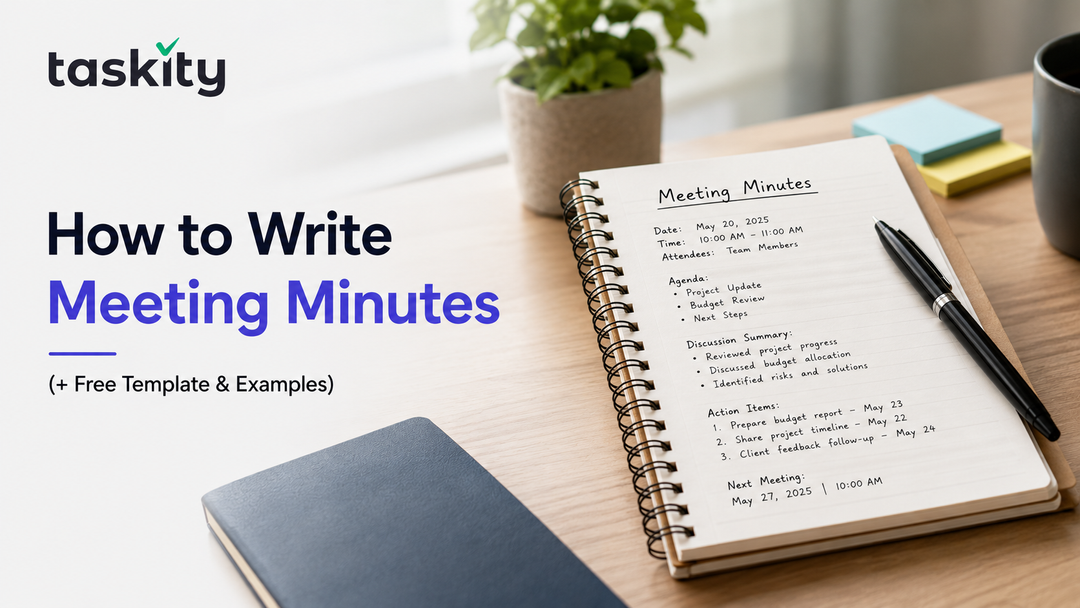
Ever walked out of a meeting only to realize nobody actually wrote down what was decided? You're not alone, and it's more common than most teams like to admit.
How to Write Meeting Minutes: A Step-by-Step Guide for 2026
Meetings happen constantly, but the record of what got decided rarely holds up. Someone jots notes, sends a mid-meeting email, and two weeks later three people remember it three different ways. I've seen this happen often, usually right before a deadline, with someone going "wait, didn't we decide the opposite?"
That's where this guide comes in. No theory, just process. A method for minutes people trust, a copy-paste template, a filled example, and the mistakes that quietly wreck most minutes.
There's a meeting in progress. People are talking over each other, an unwanted screen share is up, and you've just been handed "just take some notes."
I've been that person. Good minutes aren't hard once you know the shape of it. Most people were just never shown one, handed a notebook instead and told to "write it all down," like being told to cook with no recipe.
So let's fix that here.
What Are Meeting Minutes (And Why They Matter More Than Most People Assume)
The minutes of the meetings are the formal document, containing all decisions made during the discussion. Minutes aren’t a transcript of all discussions and all statements made by participants of the discussion. They contain information about decisions made and actions that need to be undertaken.
It’s the most common mistake of any newbie minute-taker. He or she tries to write down everything that was said, and the result is four pages of text which no one will ever read. It is understandable why people do it this way. It is safer to write down all information than not enough. However, minutes should serve as an instrument but not like some kind of security blanket.
Minutes have a purpose. They are the institutional memory of a certain team. In six months from now, someone will ask you, "Did we actually agree to postpone the launch date or did I imagine it?" And the minutes will answer all your questions without any arguments.
The Difference Between Meeting Minutes and Meeting Notes
Notes are private. Jumbled shorthand, whatever works to jog your memory later, some of it decipherable only to yourself. Minutes are a shared and formal record written for an entire group, perhaps one that wasn't even at the meeting.
Your notes might read "Sarah, frustrated about budget again, third time this month." The minutes state, "Concerns have been expressed about the budget with respect to the marketing expenses in Q3; a follow-up has been scheduled." Identical incident. Two completely separate tasks, and confusing the two is the most frequent mistake made with minutes.
Legal and Compliance Reasons Minutes Matter
For boards, nonprofits, and regulated industries, minutes aren't busywork. They're often a legal requirement, and in disputes they can be the single deciding piece of evidence. If a decision was never written down anywhere, an auditor or a court has no reason to believe it happened at all.
Most small teams will never face that kind of scrutiny, sure. But the habit of documenting decisions properly pays off long before any lawyer gets involved. It's the same reason you back up your files before your laptop dies, not after.
Who Should Take Meeting Minutes?
There's no universal rule here, and honestly, I think the "whoever's free" approach is exactly where bad minutes come from. It's how the job ends up with the newest person in the room, the one least equipped to know what's actually worth writing down.
The best minute-taker is someone who's present but not the one driving the conversation. The facilitator's usually too busy managing the room to also capture decisions accurately in real time. A dedicated note-taker, someone who rotates the role or a team admin who's done it before, produces far more usable minutes than whoever happened to grab a notebook first.
Should the Meeting Organizer Take Minutes?
Generally, no. Running a meeting and documenting it at the same time is a lot to juggle, and something always slips through. If your team's small and there's genuinely nobody else, it's doable. But plan on reviewing your notes immediately afterward while the details are still fresh, because you will not catch everything live. Nobody does.
What to Include in Meeting Minutes (The Essential Elements)
Before we get into the actual writing process, here's what every solid set of minutes needs, regardless of the industry or the type of meeting:
- Meeting basics — date, start and end time, location or platform
- Attendees and absentees — who showed up, who didn't, who sent a substitute
- Agenda items — the topics that were actually discussed, in the order they came up
- Decisions made — the actual outcomes, stated plainly, no hedging
- Action items — what needs to happen, who owns it, and by when
- Next meeting details — date, time, or an honest "to be scheduled"
Miss any one of these and you'll eventually hit a gap. The one that bites people most often is a missing owner on an action item. Nobody follows up, because technically, nobody was ever assigned it. It just sort of floats there, everyone's problem and therefore nobody's.
How to Write Meeting Minutes in 6 Steps
Step 1 — Prepare Before the Meeting Starts
Good minutes start before the meeting even begins. Pull the agenda ahead of time and sketch a rough structure around it, so you're not scrambling mid-conversation.
No agenda at all? That's a bigger problem than a minutes problem. Ask the organizer for a quick rundown. Five minutes of prep saves you twenty untangling a mess afterward.
Step 2 — Capture Decisions, Not Every Word
This is where most people trip up. Writing down everything is impossible, nobody types that fast. Listen for signal instead: decisions, resolved disagreements, anything starting with "let's" or "we agreed."
You don't need the debate. You need where it landed. The rest is just noise your future self won't thank you for keeping.
Step 3 — Use a Consistent Format
Pick a structure and stick with it, meeting after meeting. Consistency is what makes minutes searchable months down the line. Action items at the bottom one week and scattered mid-document the next just makes your own archive harder to use.
And it speeds up your writing too. You're not inventing structure live, you're filling in a shape you already know.
Step 4 — Assign Clear Action Items
Every action item needs three things: what, who, and when. "Follow up on vendor contract" is a vague intention. "Maria to follow up by Friday" is an actual action item.
Vague ownership is how tasks quietly die. If you're unsure who owns something, ask before the meeting closes. Awkward for ten seconds now, way less awkward than nothing getting done in two weeks. If you want those action items to actually get tracked instead of sitting in a document, a Kanban tool lets you turn each one into an assigned task with a deadline.
Step 5 — Review and Edit Immediately After
Don't let rough notes sit overnight. Clean them up within the hour, while context's still fresh. Expand your shorthand, because "MT — vendor thing" means nothing to someone who wasn't in the room.
This gets skipped constantly since people are already onto the next fire. But unedited minutes are just scribbles with extra steps.
Step 6 — Share and Store Minutes Properly
Send minutes out within 24 hours, while it's still fresh for everyone, not just you. Store them somewhere your team actually checks, not buried in someone's inbox past page one.
Naming matters more than people think. "2026-08-24_MarketingTeam_Minutes" is searchable in six months. "Minutes final v2" isn't, and anyone with a "final_v3" file lying around knows exactly what I mean.
Meeting Minutes Format: A Simple Template You Can Copy
Here's a straightforward template you can adapt for nearly any meeting type, from a two-person check-in to a full department sync:
MEETING MINUTES
Meeting Title:
Date:
Time:
Location/Platform:
Attendees:
Absent:
Agenda Item 1: [Topic]
Discussion Summary:
Decision:
Agenda Item 2: [Topic]
Discussion Summary:
Decision:
Action Items:
- [Task] — Owner: [Name] — Due: [Date]
- [Task] — Owner: [Name] — Due: [Date]
Next Meeting: [Date/Time or TBD]
Keep it this simple unless your organization requires a more formal structure, like board minutes usually do. The goal is a document someone can scan in ninety seconds flat and walk away knowing exactly what happened and what's expected of them next.
Meeting Minutes Example (Real-World Sample)
Here's what a filled-out version might actually look like for a typical team check-in:
MEETING MINUTES
Meeting Title: Weekly Marketing Sync
Date: August 24, 2026
Time: 10:00 AM – 10:30 AM
Location/Platform: Zoom
Attendees: Priya Sharma, Daniel Cho, Maria Torres, James Whitfield
Absent: none
Agenda Item 1: Q3 Campaign Budget
Discussion Summary: Team reviewed current spend against Q3 projections.
Slight overage flagged in paid social. Daniel raised concerns about
diminishing returns on the current ad set.
Decision: Reduce paid social budget by 15%, reallocate to email campaigns.
Agenda Item 2: New Landing Page Launch
Discussion Summary: Maria shared draft copy and design mockups. Group
agreed CTA placement needs adjustment.
Decision: Launch pushed from Aug 28 to Sept 4 to accommodate revisions.
Action Items:
- Maria to revise CTA placement — Owner: Maria Torres — Due: Aug 27
- Daniel to pull paid social performance report — Owner: Daniel Cho — Due: Aug 26
- Priya to update budget spreadsheet — Owner: Priya Sharma — Due: Aug 25
Next Meeting: August 31, 2026, 10:00 AM
Notice how short the discussion summaries are. That's deliberate. Nobody needs a full play-by-play of the back-and-forth over CTA button placement, they need to know what got decided and who's doing what because of it.
Common Mistakes to Avoid When Writing Minutes
1. Too Many Details in Writing
When new minute takers want to include everything for fear that they might miss something, they produce a document that nobody reads.
If you have a sentence for each comment, ask yourself if anything was changed due to this comment. If not, remove it.
2. Failure to Identify Action Item Owners
The action item without an owner is nothing more than an unfulfilled wish. The idea is floating somewhere around; everyone thinks someone else owns it, until three meetings pass and the item becomes even less relevant.
3. Vague Language Used to Describe Decisions
The phrase "discussed budget" does not give any information about what has happened: was it reduced, increased, postponed? The vague language forces people to seek the person responsible for the discussion.
4. Including Personal Notes in Minutes
Your personal notes and minutes are two separate entities. The former can contain all kinds of mess, but the latter cannot; otherwise, it will lose its credibility among the group members.
5. Minutes Left Unshared for Several Days
An urgent issue will definitely arise. This is not an excuse to skip the distribution of minutes. They need to be sent immediately after the meeting to avoid misunderstandings.
Tools and Software That Make Minute-Taking Easier
You don't need fancy software to write good minutes. But the right tool cuts down on a lot of friction most people don't realize they're fighting against. A few categories worth knowing:
- Shared collaborative docs (Google Docs, Notion) — good for real-time co-editing when multiple people are contributing during the meeting itself
- AI note-taking assistants — increasingly common for automatically transcribing and summarizing calls, though they still need a human pass afterward to pull out real, usable action items from the transcript noise
- Meeting minutes templates and apps — purpose-built for structuring agendas, decisions, and action items into a consistent format every time, so you're not rebuilding the layout from scratch each meeting
Whatever you end up using, the tool matters a lot less than the habit around it. A basic template in a shared folder, used the same way every time, will outperform a fancy AI transcript that nobody actually reads. I'd bet on the boring template every time.
Turning minutes into action: Writing the minutes is only half the job. The real test is whether the action items inside them actually get done. Tools like Taskity let you convert those items into assigned, trackable tasks, so they don't just sit in a document waiting to be forgotten.
Conclusion: Turn Meeting Minutes Into a Habit, Not a Chore
The art of taking meeting minutes can be boiled down to six basic elements – preparation, recording decisions rather than discussion, maintaining consistency of format, assigning responsibility, cleaning up notes immediately after the meeting is over, and sharing minutes swiftly, while the heat of the moment is still there.
Writing good meeting minutes comes down to six things: prepare ahead of time, capture decisions instead of dialogue, keep the format consistent, assign clear owners, clean up your notes right after the meeting, and share them fast, before the moment cools off.
None of that is complicated on paper. It's just a habit most teams never actually build, which is exactly why so many meetings end with everyone nodding along and then leaving slightly unsure what they just agreed to.
Grab the template above, use it in your next meeting, and pair it with whatever task or productivity tool your team already relies on to keep those action items from slipping through the cracks. It probably won't feel natural the first time. It rarely does, at first.
FAQs
What is the correct format for meeting minutes?
Format is not prescribed. Good minutes will have the date, list of participants, a summary of agenda items, a clear decision and a list of actions taken. Formatting consistency is important; format is less so.
How detailed should meeting minutes be?
Not so much detail that people not at the meeting will know everything that was decided, but enough detail that people not at the meeting will know what was decided.
How soon after a meeting should minutes be sent out?
Withing 24 hours, preferably. Sending these documents while the meeting is still fresh will require less editing and prompt action.
Can meeting minutes be used as legal documents?
Yes, especially for boards, nonprofits, and highly regulated industries. These documents can be used as legal proof of decisions made.
What's the difference between an agenda and meeting minutes?
The agenda is planned before hand while minutes capture what transpired. The one is a plan while the other is documentation of events.