

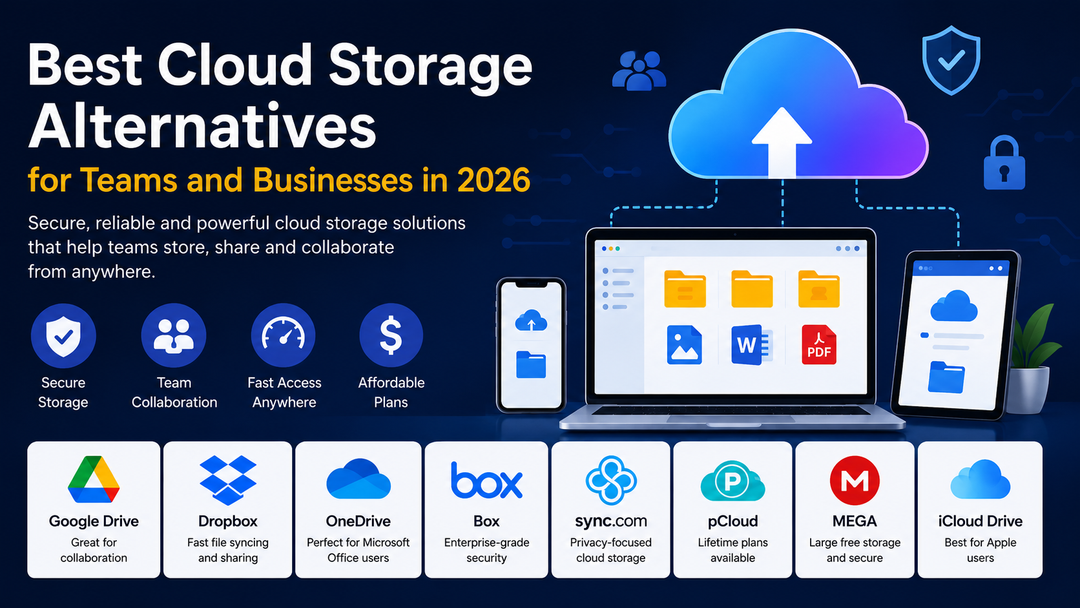
These days, storing data online does more than save documents. By 2026, firms want tools that speed up teamwork while locking down private details - so people stay productive whether they’re downtown or across time zones. Since working remotely keeps spreading, organizations now chase smarter cloud options where efficiency meets strong protection without sacrificing room to adapt.
Businesses Seek Other Options Instead of Cloud Storage
Starting out, plenty of firms rely on tools such as Google Drive or Dropbox. Yet when team size increases, extra capabilities tend to become necessary:
- Better security
- Faster file syncing
- More storage space
- Easier collaboration
- Lower pricing
- Better privacy controls
Teams spread out by location, juggling different gadgets, and finding it easier to keep files online. That shift? It ties directly to working at odd hours, jumping between tools all day long.
Without a proper storage system, companies often face:
- Lost files
- Version conflicts
- Slow collaboration
- Security risks
- Communication issues
Right now, picking a cloud storage system matters more than ever for companies. By 2026, it shapes how work gets done. The choice affects daily operations in quiet but powerful ways. Because of this shift, leaders can’t treat it as just tech setup anymore.
Features of a Reliable Cloud Storage Service
Most important features need checking first, yet companies often skip this step before choosing a system:
- Strong Security
- Secret details live in business documents. When stored online, strong systems guard them by locking data away tight:
- Encryption
- Secure login systems
- Permission controls
- Backup protection
As companies watch data safety more closely, private-by-design services start gaining ground slowly. People now choose tools that guard information simply because they can.
Fast File Syncing
Quick movement counts. Staff members grow impatient when files crawl during uploads or updates.
Fast syncing helps teams:
- Access updated files instantly
- Avoid duplicate versions
Working together feels effortless when changes happen instantly. For companies handling big media files, this matters a lot.
Easy Collaboration
Working together today means sharing tasks live across distances. People connect through apps built for group effort right now. These systems keep everyone in step without waiting. Team progress moves faster when updates happen instantly. Collaboration stays smooth using platforms made for many hands at once.
Good collaboration features include:
- Real-time editing
- File commenting
- Shared folders
- Team dashboards
Affordable Pricing
Some small companies plus new ventures look for affordable options without losing useful tools. Aiming at savings but needing quality, they search carefully through what's offered.
For certain services, you get space forever rather than paying each month.
Cloud Storage alternatives2026
Take a look at several leading cloud storage options currently chosen by companies. Each one fits different needs while staying popular across industries.
Google Drive
Best for: Simple collaboration and document sharing
Still hanging around at the top, Google Drive sticks close to users thanks to how smoothly it links up with:
- Google Docs
- Google Sheets
- Google Meet
- Gmail
Teams choose Google Drive for:
- Simple interface
- Real-time editing
- Works on phones and desktops
- Good free storage
Downsides:
- Privacy concerns for some businesses
- Over time, things get cluttered when files aren’t sorted well
For those just starting out - like small companies or classrooms - Google Drive fits neatly into daily work. Teams dipping their toes into shared projects find it straightforward to use. Simple tools inside help people build things together without confusion. New groups often stick with it because jumping in feels natural. It grows quietly alongside efforts that begin small.
Dropbox Alternatives Cloud Storage Options
Perfect when speed matters. Large files move without waiting. Sync happens quick, almost like it’s reading your mind. Works well if you hate delays. Sharing feels smooth, no hiccups mid-transfer. Ideal for those who want things done now.
Faster than most, Dropbox caught on thanks to how quickly files moved across devices. Syncing just felt effortless back then.
A single edit by a worker spreads fast - each linked gadget gets it without delay.
Teams choose Dropbox for:
- Reliable performance
- Fast syncing
- Clean interface
- Easy sharing options
Downsides:
- Expensive storage plans
- Limited free features
For those who work with big files every day, Dropbox fits well - especially creatives or design groups. Teams that craft visuals often find it handles their needs without hassle. Businesses moving tons of data stick with it simply because it keeps up.
Microsoft OneDrive
For businesses using Microsoft Office
Microsoft OneDrive works with:
- Microsoft Word
- Excel
- Outlook
- Microsoft Teams
Businesses use OneDrive for:
- Strong Office integration
- Business-level security
- Easy collaboration
- Enterprise-friendly environment
Downsides:
- Interface may feel complicated for beginners
- Occasional syncing problems
Besides handling files smoothly, OneDrive fits right into workplaces where Microsoft tools run every task. Instead of switching systems, teams keep everything linked through familiar apps.
Sync.com
Privacy-focused businesses
Sync.com focuses heavily on secure cloud storage with end-to-end encryption. Only you can see what gets saved - nobody else gains access, not even the team behind the service.
Businesses choose Sync.com for:
- Excellent privacy protection
- Secure backups
- Affordable plans
- Easy sharing
Downsides:
- Fewer third-party integrations
- Built a bit more deliberate compared to bigger systems. Speed trades off just noticeable when stacked beside expanded networks.
When it comes to handling private files or personal client data, Sync.com works well for companies. A solid choice emerges when secrecy matters most in daily operations.
pCloud
Best for: Long-term storage and media files
These days, pCloud draws more users thanks to offers that promise space forever. Paying every month isn’t the only option. A single upfront charge works too.
Teams choose pCloud for:
- Lifetime plans available
- Fast uploads
- Good media playback
- Simple file management
Downsides:
- Limited collaboration tools
- Smaller ecosystem compared to Google Drive
Freelancers find pCloud fits their workflow nicely - photographers store large files without hassle - content creators keep projects organized across devices. A solid choice when work moves fast.
Mega
Perfect if you need plenty of space without paying a dime - plus care about keeping things private. Free space on MEGA feels plentiful once you start using it. Encryption built into the system keeps files locked tight.
Users prefer MEGA for:
- Large free storage
- Strong security
- Clean interface
Downsides:
- Inconsistent speed sometimes
- Still missing some high-end tools for companies. Not every professional option is available yet.
For small groups or single users needing budget-friendly online space, MEGA works well. Though pricing matters, ease of access often tips the scale. Some prefer it simply because the setup feels smooth. Cost plays a role, yet functionality keeps people around. Limited features? Maybe. Still, many find what they need right there.
Other Options Like Google Drive
Some companies look beyond Google Drive when they worry about data safety or run out of space. Among the well-known options are:
- Sync.com for privacy
- pCloud for lifetime storage
- Dropbox for faster syncing
- OneDrive for Microsoft integration
What works best comes down to how your team operates plus what goals matter most. Your setup shapes the choice more than any rule ever could.
Cloud Storage Options 2026
Still changing fast, cloud storage sees new shifts every year. What companies now adopt becomes clear by looking at 2026’s top moves.
More Privacy-Focused Platforms
Firms today place greater weight on shielding personal information along with sensitive records. Though digital risks grow, efforts tighten around privacy just as much as security details. More platforms now include locked data storage alongside safe copy options. These tools spread faster every month thanks to wider need. Protection layers become standard rather than rare extras these days. Growth shows no signs of slowing down anytime soon.
AI-Powered File Organization
Some cloud storage tools now use AI to:
- Organize files automatically
- Suggest important documents
- Improve search results
- Detect duplicate files
Staying on top of things becomes easier when tasks take less effort. A clear plan often means fewer delays down the road.
Better Remote Collaboration
Remote work is still increasing globally. Cloud platforms are improving:
- Video collaboration
- Real-time editing
- Shared dashboards
- Team communication
Businesses Often Overlook Simple Errors
Some companies jump into cloud storage before thinking about what they’ll need later. Slowing down at the start can prevent problems that show up months afterward.
Ignoring Security
When a platform costs little, it might skip solid safeguards - leaving company information exposed. A weak system may open doors faster than expected. What seems like savings could turn into leaks down the line. Protection often fades where price drops too low. Business details sometimes slip through cracks others ignore.
Choosing Complicated Software
When workers can’t figure out how the system works, things slow down. Sometimes confusion just drags everything backward.
Poor File Organization
A cluttered system hides inside every clean interface when labels go wild plus folders pile up unchecked.
Choosing Cloud Storage Platforms
Everyone skips past the idea of one size fits all when it comes to platforms. Perfect setups shift depending on who uses them. Here is a simple way to decide:
- Choose Google Drive if:
- You want simplicity, your team uses Google tools, you need real-time collaboration.
- Choose Dropbox if:
- You work with large files, you need fast syncing.
- Choose OneDrive if:
- Your business uses Microsoft Office, you need enterprise features.
- Choose Sync.com if:
- Privacy matters most, you store sensitive information.
- Choose pCloud if:
- Storage that lasts your whole life - that is what you are looking for, you manage media files.
Final Thoughts
These days, cloud storage matters more than ever for business operations. Come 2026, picking a platform isn’t about who’s trending. What counts now is performance, reliability - factors that actually shape decisions:
- Security
- Collaboration
- Speed
- Simplicity
- Productivity
Most teams assume popular means better - truth is, it often just means louder. What matters comes down to speed, clarity, and how smoothly people actually share work.
When companies stick with working from home, tools that store files online become key. Since teams connect digitally now, having access to shared data matters more. With less office time, smooth file sharing helps keep tasks moving. Because internet-based teamwork grows, reliable storage options stay useful. When people collaborate across distances, quick document access makes a difference.
Frequently Asked Questions (FAQs)
1. What are cloud storage alternatives?
Cloud storage alternatives are online platforms that help businesses store, share, and manage files securely while improving teamwork and productivity.
2. Why are businesses exploring cloud storage alternatives in 2026?
Businesses want better security, faster syncing, improved collaboration features, lower costs, and stronger privacy controls for modern remote work environments.
3. Which cloud storage platform is best for collaboration?
Google Drive is one of the best options for collaboration because it supports real-time editing, shared folders, and easy integration with Google Workspace tools.
4. Which cloud storage service offers the best privacy?
Sync.com and MEGA are popular privacy-focused platforms because they provide strong encryption and secure file protection.
5. Why is fast file syncing important for teams?
Fast syncing helps teams access updated files instantly, avoid duplicate versions, and collaborate more efficiently without delays.
6. Which cloud storage platform works best with Microsoft Office?
Microsoft OneDrive works best for businesses using Microsoft Word, Excel, Outlook, and Teams because of its smooth integration.
7. Can cloud storage improve remote work productivity?
Yes, cloud storage allows remote employees to access files from anywhere, share documents quickly, and collaborate in real time.
8. What should businesses consider before choosing a cloud storage platform?
Businesses should compare security, storage space, pricing, collaboration tools, syncing speed, and ease of use before selecting a platform.